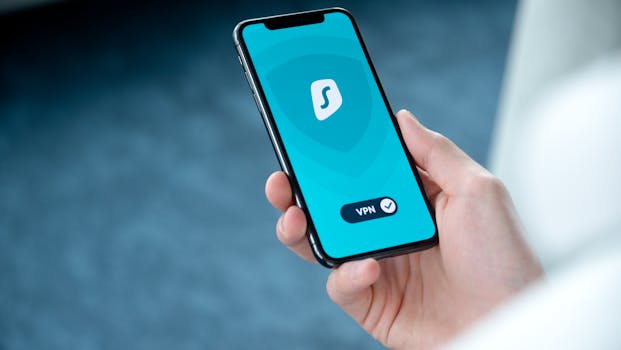
Cyber threats are evolving at breakneck speed. From sophisticated phishing scams to data breaches and ransomware attacks, the digital landscape is fraught with risks for both individuals and organizations. With over 422 million individuals impacted by data compromises in the US alone during 2022 (according to the Identity Theft Resource Center), the need for robust digital security measures has never been more urgent. Two of the most effective tools to shore up your defenses are multifactor authentication (MFA) and virtual private networks (VPNs). But how exactly do these technologies work together, and why should you make them cornerstones of your digital security strategy? Let’s dive deep and explore how combining MFA and VPN can significantly reinforce your online safety.
The Rising Tide of Cyber Threats: Why Enhanced Security Is Essential
Cybercrime continues to escalate, both in volume and sophistication. In 2023, the average cost of a data breach reached $4.45 million globally, up 15% over three years (IBM Cost of a Data Breach Report, 2023). Hackers exploit weak passwords, unsecured Wi-Fi networks, and unprotected devices. Phishing attacks—where cybercriminals trick users into revealing sensitive information—accounted for nearly 36% of all data breaches in 2022 (Verizon DBIR, 2023).
Traditional security measures, like passwords alone, are no longer sufficient. According to a Google study, over 65% of people reuse passwords across multiple accounts, increasing vulnerability. Hackers leverage stolen credentials to access email, financial accounts, or corporate systems. Clearly, a more layered, robust approach is needed.
What Is Multifactor Authentication (MFA) and How Does It Work?
Multifactor authentication (MFA) is a layered security system that requires users to present two or more verification factors to gain access to a digital resource. Instead of relying solely on something you know, like a password, MFA adds extra barriers by combining:
1. $1: Password or PIN 2. $1: Smartphone, security token, or smart card 3. $1: Biometric verification (fingerprint, facial recognition)For example, logging into a bank account may require both your password and a one-time code sent to your phone. Even if a hacker steals your password, they cannot log in without the second factor.
According to Microsoft, MFA can block over 99.9% of automated attacks. Despite this, only about 26% of organizations have implemented MFA for their cloud services (as reported by Gartner in 2022). The gap highlights both a risk and an opportunity for better protection.
Understanding VPNs: Privacy and Security Across Networks
A virtual private network (VPN) creates an encrypted tunnel between your device and the internet. This process masks your IP address and encrypts all data transmitted, making it extremely difficult for hackers or snoops to intercept or decipher your information.
Key benefits of using a VPN include:
- $1: Protects your data from prying eyes, especially on public Wi-Fi networks. - $1: Conceals your real location, making it harder for websites and cybercriminals to track you. - $1: Allows access to content restricted by geography or local policies.For remote workers or anyone accessing sensitive information outside a trusted network, VPNs are indispensable. A 2023 Cisco study found that 85% of organizations require employees to use VPNs when connecting remotely.
MFA vs. VPN: Complementary Layers of Protection
While MFA and VPNs address different aspects of digital security, they work best in tandem. Here’s how they compare and complement each other:
| Feature | MFA | VPN |
|---|---|---|
| Primary Purpose | Verifies user identity | Secures data transmission and privacy |
| Main Protection | Prevents unauthorized account access | Prevents data interception and tracking |
| Common Use Cases | Online banking, email, cloud storage | Public Wi-Fi, remote work, accessing geo-blocked services |
| Effectiveness | Blocks 99.9% of automated attacks | Encrypts data end-to-end; prevents eavesdropping |
| Setup Complexity | Usually simple, via app or SMS | Requires app installation and configuration |
Individually, each tool has its strengths and limitations. MFA keeps accounts safe even if your password is compromised, while a VPN ensures that your online activities and sensitive information remain private, especially on untrusted networks. Combined, they provide a multilayered defense that addresses both identity and data security.
How to Implement Multifactor Authentication and VPN for Maximum Security
Integrating MFA and VPN into your digital habits can dramatically reduce your risk profile. Here’s how to get started:
1. $1 Enable MFA on all accounts that support it, particularly for email, banking, social media, and cloud services. Most major platforms—Google, Apple, Microsoft, and Amazon—offer MFA via SMS codes, authentication apps (like Google Authenticator or Authy), or hardware tokens (YubiKey, for example). 2. $1 Opt for a VPN with strong encryption standards (AES-256), a strict no-logs policy, and robust privacy features. Paid VPN services typically offer better security and reliability than free alternatives. Look for providers with a proven track record and positive independent reviews. 3. $1 When accessing sensitive information (like online banking or work emails) from outside your home or office, always use both MFA and a VPN. This dual approach ensures that your identity is verified and your data is protected in transit. 4. $1 Stay informed about new security features and threats. Regularly update your devices, browsers, and apps to patch vulnerabilities. Educate family members or employees about phishing, social engineering, and the importance of layered security. 5. $1 Even with MFA and VPNs, monitor your accounts for unusual activity. Set up alerts for new logins or password changes, and change passwords immediately if you suspect a breach.Real-World Impact: Case Studies and Statistics
The effectiveness of MFA and VPNs isn’t just theoretical. Real-world examples demonstrate their value:
- In 2021, Google mandated MFA for over 150 million users and saw a 50% drop in compromised accounts. - The UK’s National Cyber Security Centre reported that 80% of successful breaches involved weak or stolen passwords—attacks easily blocked by MFA. - A 2022 survey by Statista revealed that 41% of VPN users in the US activate their VPNs primarily for security on public Wi-Fi, while 35% use them for privacy.Major corporations also rely on these technologies. After a 2020 breach, Twitter required employees to use both MFA and VPN to access internal systems, drastically reducing subsequent incidents. Small businesses, too, benefit: the US Federal Communications Commission recommends both MFA and VPNs for companies handling sensitive data.
Overcoming Common Barriers to Adoption
Despite clear benefits, some users hesitate to adopt MFA and VPNs due to perceived inconvenience or technical complexity. Here’s how to address common concerns:
- $1: Authentication apps make the process quick—usually a tap or a code entry. Biometric options (fingerprint, face ID) are even faster. - $1: Modern premium VPNs minimize speed loss, with many offering “split tunneling” to route only sensitive traffic through the VPN. - $1: Many MFA solutions are free. While top-tier VPNs are usually paid, the investment is small compared to the potential cost of a breach.With user-friendly interfaces and better integration, both technologies are more accessible than ever. In 2023, smartphone apps for MFA and VPNs saw a 30% increase in downloads, reflecting growing mainstream adoption.
The Future of Digital Security: A Unified Approach
As cyber threats become more sophisticated, digital security tools are evolving too. Many platforms now integrate MFA and VPN technologies, offering seamless protection without added hassle.
For example, Microsoft and Google provide built-in MFA for accounts, while Apple’s iCloud Keychain combines password management with two-factor authentication. Leading VPN providers are adding features like malware blocking and breach alerts, creating comprehensive security ecosystems.
With the rise of remote work and cloud computing, organizations are adopting “zero trust” models—requiring both strong authentication and encrypted connections for every access request. This convergence means that MFA and VPN are no longer optional add-ons, but essential elements of any digital security strategy.
Securing Your Digital Life: The Bottom Line
The digital world is full of opportunities—and risks. As cybercrime surges, relying on passwords alone is a recipe for disaster. Multifactor authentication and VPNs provide powerful, complementary protection against identity theft, data breaches, espionage, and privacy invasion.
By enabling MFA across your accounts and using a reputable VPN whenever you access sensitive information, you dramatically reduce your chances of falling victim to cyberattacks. The combined approach is simple to implement, cost-effective, and proven to work. Don’t wait for a breach to make security a priority—reinforce your digital defenses today.